
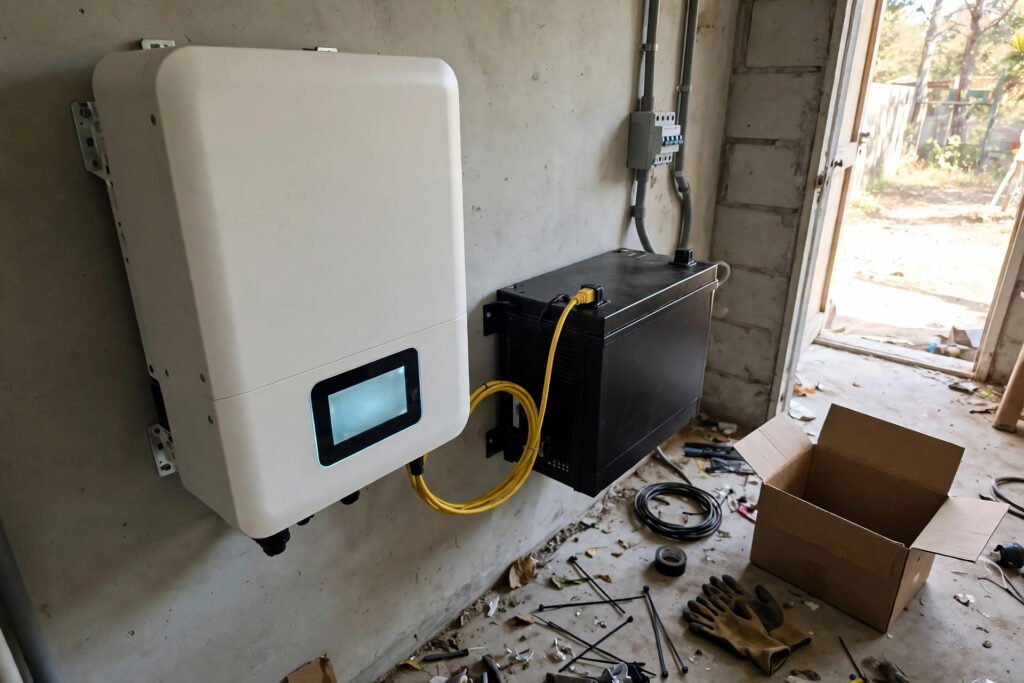
What this guide works from. One rig: Sunsynk 5 kW hybrid with a JK Inverter BMS, PB series, on a 16-cell LiFePO4 pack, 280 Ah. The pack rests at 52.8 V. The JK app reads 47% charge. BMS Err shows on first start.
The short answer. Sunsynk BMS Err means the inverter cannot hear the battery BMS, the battery management system. It is the small board that guards each cell and tells the inverter how full the pack is and how fast to charge. It is the same fault Deye calls F58. Both brands share one base design. On our rig, the fix was a cable: a plain Ethernet patch lead joined all eight pins. We built a two-wire CAN cable, pins 4 and 5 only, set Lithium Mode 00, and the Li BMS page filled in within two minutes.
The rig that would not link
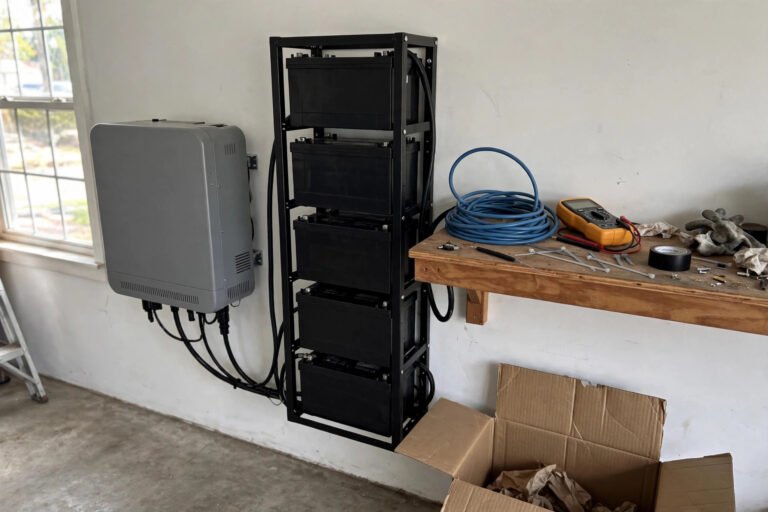
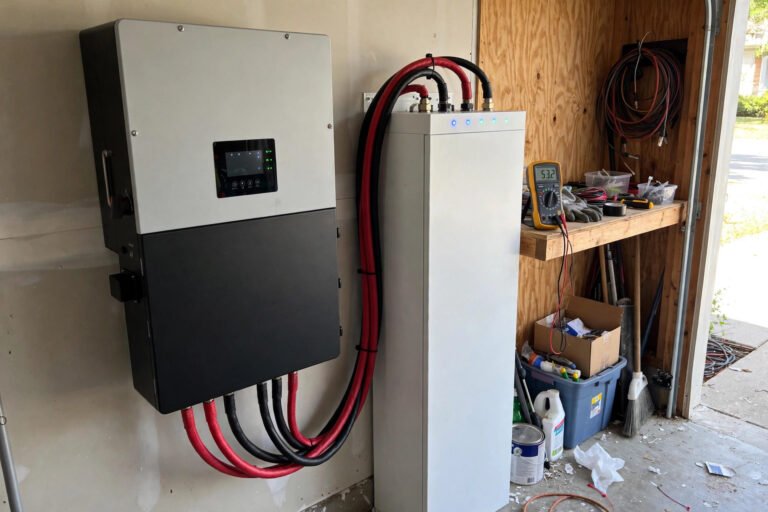
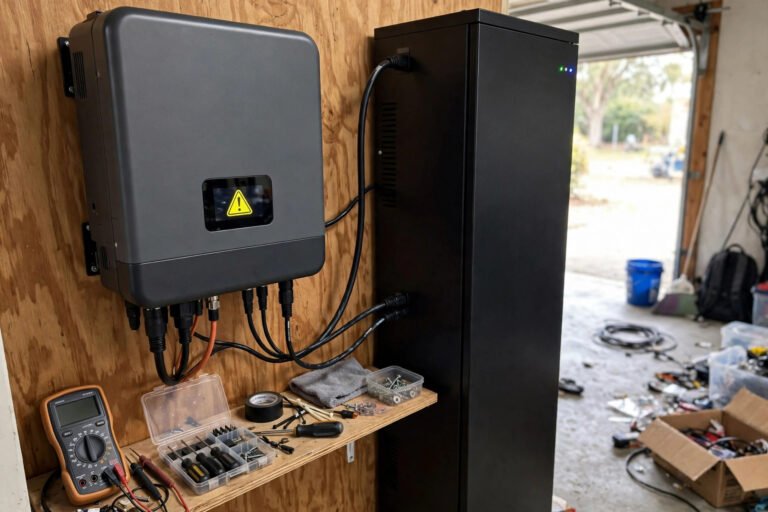
It was a new build. The Sunsynk 5 kW sat on the wall, and the battery box held 16 LiFePO4 cells. A JK Inverter BMS sat on top of the pack. The pack read 52.8 V: 3.30 V per cell, times 16 cells. The JK app showed all 16 cells near 3.30 V, and 47% charge. Then the inverter was switched on. BMS Err showed on the home screen within seconds. The home screen showed 52.8 V, so the power cables were fine. But the Li BMS page was blank: no battery name, no amps, no temp, no SOC. SOC is how full the battery is. The inverter could see the volts, yet it heard nothing from the BMS. Without data, it will not trust the pack. It will not charge it in closed-loop mode. Closed-loop means the inverter and the BMS talk to each other and share SOC, voltage, and limits.
First, confirm what the screen is telling you
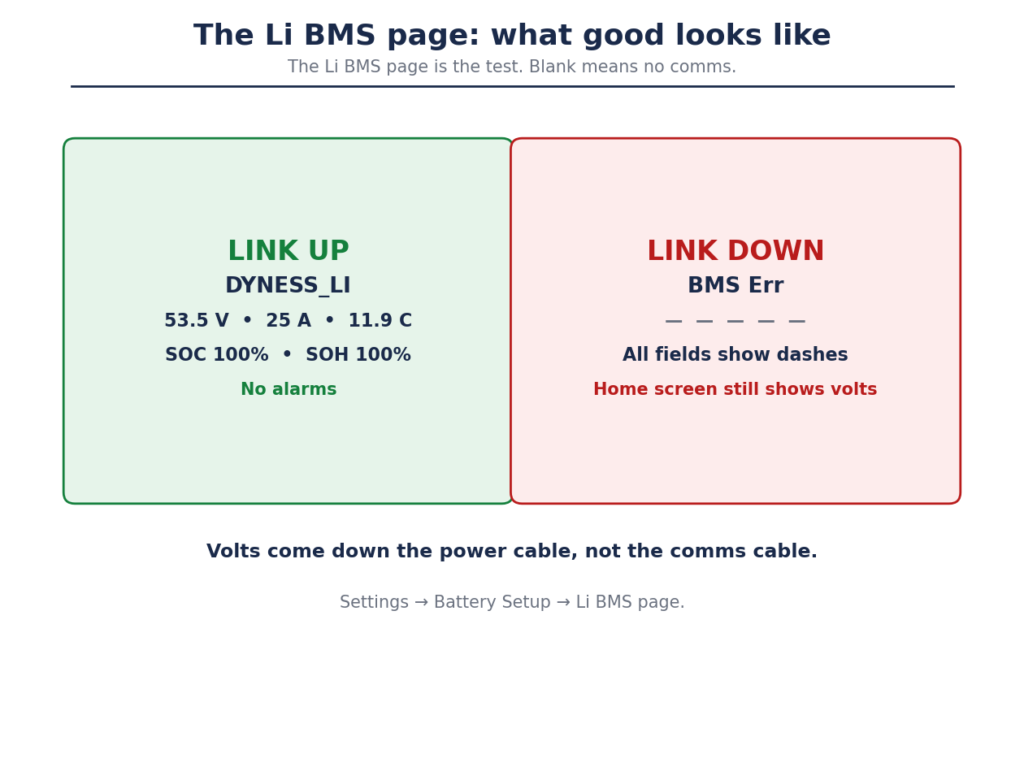
Sunsynk shows the fault on the home screen as a BMS error. The book calls it F58, BMS communication fault. Do not mix it up with F56, DC voltage low. Open Settings, then Battery Setup, then the Li BMS page to test the link. When the link works, it shows the battery name, volts, amps, temp, total SOC, and total SOH. SOH is how healthy the battery is, as a percent. One Dyness DL5.0C Pro job, fixed by a new cable, showed DYNESS_LI: 53.5 V, 25 A, 11.9 C, SOC 100%, SOH 100%. When the link is dead, that page is blank or shows dashes.
BMS_Err_Stop is a Sunsynk set point. When it is on and the link fails, the inverter stops and shows the fault. Turn it off and the fault hides, but the link is still dead. Use it just for a short test, then turn it back on.
Cause 1: the wrong cable
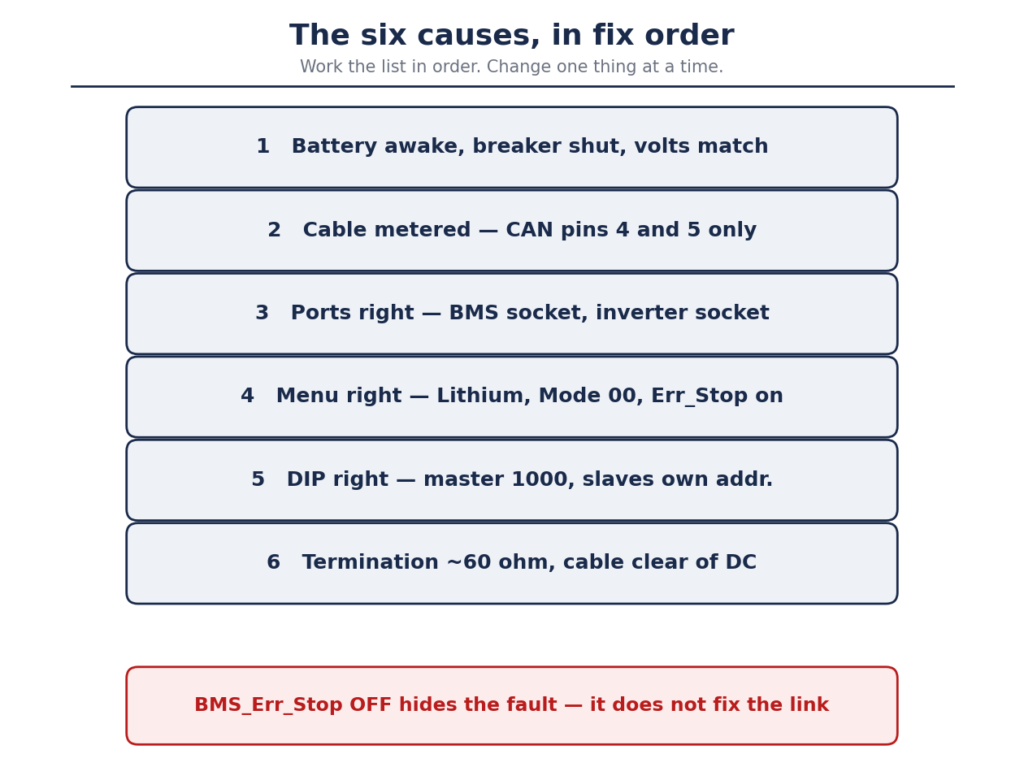
This is the top cause: most of the time, a plain Ethernet patch cable. A patch cable joins all eight pins straight through, so RS485 and CAN join at once. The right lead for a CAN battery has pins 4 and 5 live and nothing else. That fixed the Dyness job above. The full pin map is the Deye & Sunsynk BMS port pinout.
Make the cable by hand, or buy one made for your exact battery. For CAN, use one twisted pair only: blue wire pin 4 to pin 4, white-blue wire pin 5 to pin 5. Cut the other six wires back and tape them. For RS485 packs, use the pair the battery book lists, most of the time pins 1 and 2. Use shielded Cat5e or Cat6, keep the run under 2 metres, and route it far from the DC and AC wires. Check each wire goes pin to pin. One stray strand between pins 4 and 5 will hold the CAN line down. On our rig, this was the fault. The patch lead joined all eight pins. We built a two-wire lead, and the link came up.

Cause 2: the right cable in the wrong port
The cable can be good and still fail in the wrong socket. On the Sunsynk, it goes in the socket marked BMS. Not the meter port. Not the parallel port. Not a spare RS485 port. On the battery end, use the socket the book names for inverter talk. That is the CAN socket on a CAN battery and the RS485 socket on an RS485 battery. Some packs have two sockets that look the same. One is for the inverter. One is for pack-to-pack links. The inverter cable in the pack-to-pack socket hears nothing.
JK BMS owners meet this one most: the JK PB board has CAN, RS485-1, and RS485-2 side by side, and RS485-2 is for parallel packs and a PC, not the inverter. Plug the Sunsynk cable into RS485-2 and the Li BMS page stays blank. Pylontech packs have both a CAN port and an RS485 port.
Cause 3: the wrong menu — battery type and Lithium Mode
On the Sunsynk touch screen, go to Battery Setup and set Batt Type to Lithium. Then set the Lithium Mode code for your battery. For Pylontech on CAN that code is 00. Deye uses the same code, since Sunsynk and Deye share one base design. For other packs, the battery book or the Sunsynk approved list gives the code. Do not pick a code from a brand that looks close.
| Setting | What to pick. | Why it matters. |
|---|---|---|
| Batt Type | Lithium. | Lead-acid mode never talks to the BMS. |
| Lithium Mode | 00 for Pylontech CAN. | Loads the Pylontech CAN frames the BMS sends. |
| BMS_Err_Stop | On, after any test. | Off hides the fault, it does not fix the link. |
| JK app, CAN mode | Pylontech CAN, 500 kbps. | Must match the wired link and Lithium Mode. |
If the Sunsynk inverter cannot run the battery at all, use the book’s fall back. Treat it as a lead-acid type, and set charge and power-out from the battery maker’s specs. On our rig, the menu was right from the start. The cable was the fault, not the menu.
Cause 4: the battery is off, asleep, or cut off
Check the battery’s own lights first. Breaker shut? Switch on? BMS awake? A pack that ran flat can put its BMS to sleep, and a sleeping BMS does not answer CAN notes. Wake it by charging with PV or grid, breaker shut. The BMS may also have cut power for its own sake. Fix that cause first, and the talk fault may clear with it.
A deep-discharge rescue works like this: set Batt Type from Lithium to Use Batt V, charge the pack until the volts come back, then set it back to Lithium. Do not leave it in Use Batt V. The full rescue guide is the Deye / Sunsynk Lithium to Use Batt V mode.
Cause 5: DIP switches and pack address
This cause is rare with one battery, common with two or more. Each pack needs its own address, set with DIP switches on the battery or the BMS. The master pack is the one that talks to the inverter. Pylontech sets the address and RS485 speed by DIP, per the pack count in its book. JK sets the master to DIP 1000, switch 1 ON and the rest OFF, which is address 0. Each slave gets its own address. Two packs on one address answer as one pack, and the inverter hears a mixed-up talk.
Cause 6: termination, noise, and firmware
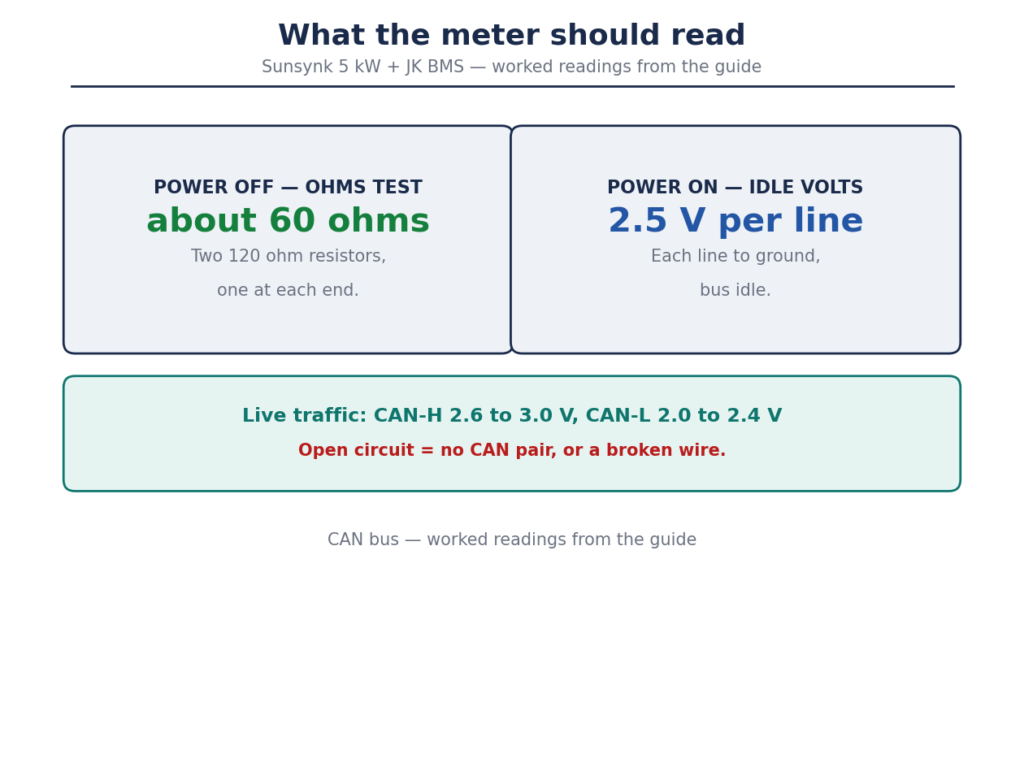
A CAN line needs a 120 ohm resistor at each end. That is the termination. Two in a row read about 60 ohm. Switch both units off, unplug the CAN cable at one end, and test between CAN-H and CAN-L. About 60 ohm means both ends have one. About 120 ohm means one end is short one. Some packs put the end resistor under a DIP switch. Some JK packs have no such switch, so you may need a plug-in RJ45 end cap with a 120 ohm resistor across pins 4 and 5.
Noise is the last cause. It makes the fault come and go. If BMS Err comes back at noon or under a heavy load, look at the cable route. Move it, shorten it, and keep it off the DC cables. If it shows up just after a firmware update, check the battery list once more. Sunsynk hybrids are 48 V low-voltage units, so a high-voltage pack will never talk right with one.
Why the inverter cannot hear the battery
BMS Err is a handshake fault. A handshake is the short exchange where two units agree they can talk. The inverter sends a frame on the CAN bus: one short packet of data. The BMS must answer with its own frame: SOC, charge limit, cell volts, temps, alarms. If no answer comes back in time, the inverter raises F58 and stops trusting the pack. That talk can fail in only six ways: the wire is wrong, the port is wrong, the menu is wrong, the battery is asleep, the address is wrong, or the bus is broken. A reboot fixes none of these. One rare case: the BMS was asleep and woke up in the power cycle. That is luck, not a fix.
A plain Ethernet patch lead is the most common wire fault. A straight lead joins all eight pins, so CAN and RS485 join at the same time, and the bus stays mute. On our rig, the lead was the fault. The menu was right all along. Check the wire and the port first, then check the menu.
Fix it in order: nine steps, each with a check
Work the steps in order. If a check fails, stop there.
- Write down what you have. Note the inverter model, battery and BMS brands, and the code. Open the Li BMS page and note what it shows. Photograph the Battery Setup screen. Check: model names, Li BMS page notes, and photos in hand.
- Check the battery is awake. Make sure the breaker is shut, the switch is on, and the BMS lights show. Test the volts at the battery posts and the inverter DC posts. They should match within a few tenths of a volt. Check: battery awake, volts match at both ends.
- Check the cable. Pull both plugs and look for bent pins. Test it pin to pin. CAN means pins 4 and 5 only. RS485 means the pair the battery book lists. On our rig, this was the fault: the patch lead joined all eight pins, so we built a two-wire CAN cable. Check: CAN pins 4 and 5 only, cable metered.
- Check the ports. BMS socket on the Sunsynk, inverter socket on the battery. CAN socket for a CAN battery, RS485 socket for an RS485 battery. Never the parallel or meter port. On a JK PB, use the CAN socket, not RS485-2. Check: plug in the BMS socket and the inverter socket.
- Set the menu. Batt Type Lithium, the right Lithium Mode code, BMS_Err_Stop back on after any test. For Pylontech CAN that code is 00. Check: Batt Type Lithium, Lithium Mode 00, BMS_Err_Stop on.
- Check the DIP switches and addresses. Set the master pack to DIP 1000, switch 1 ON and the rest OFF, which is address 0. Each slave gets its own address. No two packs share an address. Check: master DIP 1000, slaves on their own addresses.
- Test the bus with a meter. With all power off, test ohms between CAN-H and CAN-L. A good bus reads about 60 ohms (two 120 ohm end resistors side by side). With power on and the bus idle, test each line to ground: each should sit near 2.5 V DC. On our rig, the test read 61 ohms after the cable swap, and 2.5 V per line at idle. Before the swap, it read open. Check: about 60 ohms power off, about 2.5 V per line power on.
- Restart in the right order and wait two minutes. Switch the battery off, then the inverter off. Pull the comms plug out at both ends and push it back in. Switch the battery back on, then the inverter back on. Wait two minutes, then check the Li BMS page. On our rig, the page filled in after about 40 seconds: 52.8 V, SOC 47%, SOH 100%. Check: Li BMS page live, SOC matches the BMS app.
- Prove it under load. Put a load on the inverter, then charge the pack, and watch the SOC move. On our rig, a 1,200 W kettle pulled the SOC from 47% to 46% in ten minutes. On charge, the SOC hit 100% as the pack hit 55.2 V: 16 cells times 3.45 V. Check: SOC moves with charge and discharge, and it reaches 100% without jumping.
If the reading differs, the reading is the answer
A meter can rule out a dead link in minutes. It cannot read CAN frames, but it can tell you if the bus is shorted or open. All volt numbers are DC to ground, on a CAN bus built to ISO 11898-2. On a live bus, a plain meter shows the mean: CAN-H reads 2.6 to 3.0 V and CAN-L reads 2.0 to 2.4 V.
| Reading | What it means. | What to do. |
|---|---|---|
| About 60 ohms, power off. | Both 120 ohm end resistors are there. | Go to Step 8. |
| Near 120 ohms, power off. | One end resistor is missing. | Check the BMS end resistor. |
| Open circuit, power off. | No end resistor, a broken wire, or the plug is in a port with no CAN pair. | Check the port first, then test the cable. |
| 2.5 V on each line, power on, idle. | Bus idle and sound, but nobody is talking. | Check the menu and the BMS power. |
| 2.6–3.0 V on CAN-H, 2.0–2.4 V on CAN-L. | Traffic is flowing. The link is alive. | Go to Step 8. |
| 0 V or pack volts on one line. | That line is shorted, or the signal chip is dead. | Stop. Unplug the BMS end. If the line clears, the fault is in the BMS. |
What each sign points to
| What you see. | Most likely cause. | Fix. |
|---|---|---|
| BMS Err on first start, Li BMS page blank. | Wrong cable, often a patch lead. | Step 3: build a two-wire CAN cable, pins 4 and 5. |
| BMS Err clears, then comes back at noon. | Cable run tight against power wires picks up noise. | Move the comms cable away from power cables. |
| BMS Err plus F56. | Flat battery, BMS asleep, link lost. | Charge first, then fix the link. |
| BMS Err with two packs, fine with one. | Two packs share one DIP address. | Step 6: master DIP 1000, slaves on their own. |
BMS Err is not F56
A flat battery can cause both at once: the volts fall, the BMS sleeps, and the inverter loses the link. Fix the volts first. Charge the pack. F58 may clear with it. F56 is a volt fault. F58 is a data fault.
Two batteries that do not match? Sunsynk Klik
Sunsynk sells an add-on called Sunsynk Klik, model SSKLIKACC01. It lets two batteries with their own talk rules share one inverter. Each battery plugs into the Klik, which sends one CAN note set to the inverter. It is for a two-battery set-up, not a fix for a dead link. Fix a dead link first.
When volts mode is the right call
Closed-loop is better when it works. Open-loop is better than a broken closed-loop. If the link will not hold after a full check, switch Batt Type to Use Batt V and run on volts. Set the charge volts from the battery datasheet. For a 16S pack, use bulk 55.2 V, float 53.6 V, and cut-off 48.0 V. For a 15S pack, use bulk 51.75 V, float 50.25 V, and cut-off 45.0 V. The full rescue guide is the Deye / Sunsynk Lithium to Use Batt V mode. Volts-based SOC on LiFePO4 is rough. The discharge curve is flat in the middle, so the inverter will guess SOC wrong. Use the BMS app or a shunt for a true SOC number.
What can still go wrong
The JK pin swap.
JK’s own papers conflict on CAN-H and CAN-L pins 4 and 5. If the tests and the menu all read right, swap CAN-H and CAN-L at one end only and test again. Read the print on your own board.
Firmware comes last, not first.
Firmware can fix a mode bug. It can also move the menu so the list shifts. Save your settings first. Use firmware only from Sunsynk support for your exact model.
The cable that worked yesterday.
A comms cable run tight against DC lugs or AC wiring can pick up noise when current peaks. If BMS Err comes back under load, move the cable and shorten it.
A dead BMS port.
If the tests and the menu all read right, and the BMS app shows the pack is fine, yet no traffic ever shows, the port itself may be dead. Try the RS485 link as a second test. If RS485 links and CAN does not, the CAN port or its chip is at fault. That is a support call, not a settings change. Tell support the meter readings.
Common questions
Will a reboot fix BMS Err?
No. A reboot changes nothing about the wire, the port, or the menu. Work the nine steps.
Can I use a normal Ethernet cable?
Sometimes. A straight patch cable joins all eight pins, so CAN and RS485 join at the same time. It works on some Sunsynk units and fails on others. Meter it first.
Is BMS Err the same as F56?
No. BMS Err is F58, a data fault. F56 is a low DC volt fault. A flat battery can cause both at once. Charge the pack first.
My battery is not on the Sunsynk list. What now?
Use the book’s fall back. Treat it as a lead-acid type, and set charge and power-out from the battery maker’s specs. Or run Use Batt V mode for the night.
Why does the home screen show volts but the Li BMS page stays blank?
Volts come down the thick power cable, not the thin comms cable. A blank Li BMS page means the data link is dead, even when the volts look fine.
Do this next
- Open the Li BMS page and write down what it shows.
- Check the battery is awake, breaker shut, volts match at both ends. Build a two-wire CAN cable, pins 4 and 5.
- Check the ports: BMS socket on the inverter, inverter socket on the battery. Never the parallel or meter port.
- Set Batt Type Lithium, Lithium Mode 00 for Pylontech CAN, BMS_Err_Stop back on.
- Set the master pack to DIP 1000, slaves on their own addresses. Test the bus: about 60 ohms power off, about 2.5 V per line.
- Restart battery first, then inverter. Wait two minutes for a live Li BMS page and a real SOC.
- Prove it under load and on charge, then write the settings on a note inside the battery box door.
- Still stuck? Call your installer. The fault is a bad fit or bad parts. No more cable swaps will fix it.
Sources
Checked on 20 November 2026. Unconfirmed items are labelled “not confirmed” in the text.
- Sunsynk hybrid inverter manual, Battery Setup. Batt Type Lithium, Lithium Mode code per battery. Li BMS page shows battery name, volts, amps, temp, SOC, SOH. BMS_Err_Stop set point.
- Deye / Sunsynk shared design notes. F58 is the BMS communication fault on both brands. Lithium Mode 00 is Pylontech CAN.
- Dyness DL5.0C Pro field job. Li BMS page showed DYNESS_LI: 53.5 V, 25 A, 11.9 C, SOC 100%, SOH 100% after a new cable. Field-reported.
- Sunsynk Klik SSKLIKACC01. Add-on that lets two batteries with their own talk rules share one inverter.
- Pylontech US3000C datasheet. 15S LiFePO4, 48 V nominal. CAN pins 4 and 5.
- JK BMS community reports. JK Inverter BMS, Pylontech CAN, 500 kbps, DIP 1000 for the master, address 0. JK papers conflict on CAN-H/L pins 4/5; not confirmed.
- ISO 11898-2 CAN standard. Idle 2.5 V per line. Peaks 3.5 V / 1.5 V. 120 ohm per end, about 60 ohms measured.
- This site: Deye & Sunsynk BMS port pinout, JK Inverter BMS RJ45 pinout, JK BMS to Sunsynk closed-loop setup, Deye / Sunsynk Lithium to Use Batt V mode, Growatt Warning 04 and Error 56 guide.
Comments (0)